From Jakarta to Bandung, biru stays with you where service is offered.
biru IDR Wallet Football Betting with DANA & e-wallet Banking
Your biru IDR Wallet is the central account on our platform where all deposits, withdrawals, and betting activity flow through a single Indonesian Rupiah balance. Whether you access biru via Android app (download from Google Play), iOS Safari, or the web version, your wallet balance syncs instantly across all devices. Every deposit made through mobile banking, local payment, online payment, or bank transfer populates the same wallet, and every football bet—Liga 1, Piala AFF, Champions League—draws from the same funds.
Open an account
IDR Wallet
- Platform
- Category
- Live Table / Card
- RTP
- medium
- medium
This guide covers how your IDR Wallet works on biru, how to check your balance, how to deposit and withdraw in Rupiah, and how payment methods link to your betting flow. We explain the security measures protecting your wallet, how to resolve payment issues, and why unified wallet design matters when you switch between football betting and live-casino play.
What your IDR Wallet is on biru
An IDR Wallet on biru is simply your account's Rupiah balance. When you sign up on biru, the system creates one wallet per account automatically. All money flowing in—deposits via DANA, e-wallet, mobile banking, local payment virtual account, or other payment methods—lands in this wallet. All money flowing out—withdrawals, bet stakes, game plays—debits from this wallet. There is no separate "sports wallet" versus "casino wallet"; one balance covers everything.
This unified design saves you from moving funds between sub-accounts. On other platforms, you might have a sportsbook balance and a casino balance that do not talk to each other. On biru, your IDR Wallet is unified. You can place a Liga 1 bet, immediately switch to a live roulette table, and both transactions use the same wallet. Your balance updates after each action, visible in real time on your dashboard.
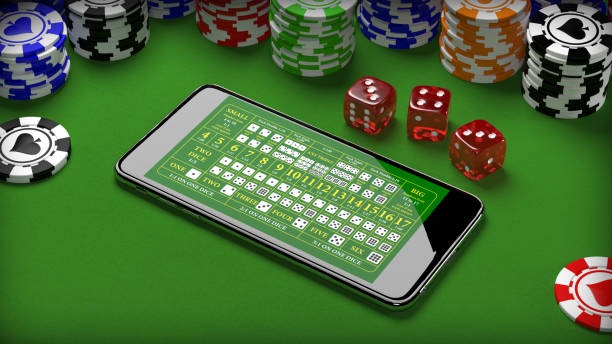
A unified wallet means faster play. No delays waiting for balance transfers between game types or manual wallet switching during critical moments of live betting.
Checking and managing your IDR Wallet balance on biru
Your current wallet balance displays prominently on biru's home screen after login, in the top-right corner on desktop or at the top of the home screen on mobile. The number shown is in Indonesian Rupiah (IDR) and reflects all deposits minus withdrawals and bets. When you place a bet, that amount is deducted immediately. When a bet resolves as a win, the payout is added immediately. When you deposit, funds appear within moments for e-wallet methods or within one business day for bank transfers.
To see a detailed history of all wallet activity, click on your wallet balance (or the Wallet menu item) and select "Transaction History". This shows every deposit, withdrawal, bet, and payout with timestamps. You can filter by date range or transaction type. This record is useful if you want to review your activity or download a statement for personal record-keeping.
-
1
Log in to biruAccess
Use your email or phone number and password to enter your biru account
-
2
View your walletBalance check
Look at the top-right corner (desktop) or top of home screen (mobile) to see your current IDR balance
-
3
Click to open wallet menuDetails
Select "Wallet" or "Account" from the menu to access deposit, withdraw, and transaction history options
-
4
Review history if neededOptional
Browse transaction history to confirm deposits arrived or check details of past bets and payouts
Deposit methods linked to your IDR Wallet
biru accepts eight payment methods that all deposit directly into your IDR Wallet: online payment, e-wallet, mobile banking, local payment, online payment, e-wallet, and virtual accounts through mobile banking, local payment, online payment, and e-wallet. Every method is denominated in Rupiah, so no currency conversion happens on your end. You pay in Rupiah; your wallet receives Rupiah.
E-wallet deposits (mobile banking, local payment, online payment, e-wallet, mobile banking, local payment) are instant—your balance updates within seconds to a few minutes. Bank virtual account deposits may take one business day to clear, depending on your bank's processing schedule. During major events like Liga 1 playoffs or Idul Fitri, bank processing can take longer, so plan ahead if you intend to deposit via bank transfer.
On biru, deposits are fast and transparent. You see your IDR Wallet balance update immediately for e-wallets, and within a business day for bank transfers.
How to deposit into your IDR Wallet on biru
To add funds to your IDR Wallet, navigate to the Wallet section of your account menu and select "Deposit" or "Add Funds". You will see a list of all eight payment methods. Select your preferred option, enter the Rupiah amount you wish to deposit, and confirm. The system then routes you to the payment gateway for that method.
For e-wallets like online payment or e-wallet, you authorize the transfer through the app (if you have it) or a secure payment page. For bank accounts, you receive a unique virtual account number to transfer funds to—this number is tied to your biru account, so the system knows which IDR Wallet to credit. Transfers complete within the timeframe mentioned above, and biru sends you an email confirmation.
Payment methods summary
biru accepts mobile banking, local payment, online payment, e-wallet, mobile banking for instant e-wallet deposits, plus local payment for quick transfers. If you prefer bank transfers, online payment, e-wallet, mobile banking, and local payment each provide a dedicated virtual account that deposits directly to your IDR Wallet within one business day.
No minimum deposit is required on biru. Deposit any amount that suits your betting budget. All methods process in Rupiah, so there is no currency conversion or hidden charges—what you pay is what lands in your wallet.
Withdrawing from your IDR Wallet on biru
To withdraw funds from your IDR Wallet, select "Withdraw" or "Cash Out" from your wallet menu. Enter the amount in Rupiah you wish to withdraw, and choose the payment method for the withdrawal. Withdrawals return to the same method you used for deposit—if you funded via online payment, your withdrawal goes back to e-wallet. If you used a mobile banking virtual account, the funds return to your local payment account.
All withdrawals on biru are subject to account verification. If you have not yet submitted identity documents (national ID, passport, or driver's license), we ask you to do so before processing your first withdrawal. This is a legal requirement and protects both you and our platform. Once verified, withdrawal processing times match deposit times: e-wallets typically complete within minutes to an hour, and bank transfers within one to two business days.
Withdrawal process essentials
- Withdrawals return to the same payment method you used for deposit
- Account verification (ID documents) required before first withdrawal
- E-wallet withdrawals: minutes to one hour typical
- Bank account withdrawals: one to two business days typical
- No minimum withdrawal amount on biru
Security and encryption of your IDR Wallet
All transactions in your IDR Wallet—deposits, withdrawals, bets—are encrypted using industry-standard SSL protocols. This means data moving between your device and biru's servers is scrambled and cannot be intercepted. Your wallet balance and transaction history are stored on encrypted servers with restricted access. We do not store payment card details; instead, we use secure payment gateways that handle that information on their own encrypted infrastructure.
Your wallet is protected by your biru password. Use a strong, unique password and never share it. If you forget your password, use the Password Reset feature on the login page. If you lose access to your registered email or phone, contact biru's support team through the Help Centre—we can verify your identity and help you regain access to your IDR Wallet.
IDR Wallet across Liga 1Piala AFFand other betting types
Your unified IDR Wallet works seamlessly across all betting types on biru: football matches (Liga 1, Piala AFF, Champions League), live-dealer tables (blackjack, roulette, baccarat), slot games (Aviator, Sweet Bonanza, Fortune Tiger), and esports markets (Mobile Legends, Free Fire). Place a bet on a Bandung football match in the morning, switch to a live casino session in the afternoon, and your IDR Wallet balance reflects both activities instantly.
During high-traffic periods—Liga 1 season peaks, Piala Indonesia finals, Idul Fitri tournament weeks—many players deposit into their IDR Wallet and then split time between sportsbook and casino. Because your wallet is unified, you do not need to decide in advance which portion goes to sports and which to casino. Money flows fluidly between all sections of biru, all denominated in the same Rupiah balance.
Managing your IDR Wallet responsibly
Your IDR Wallet is your responsibility. Before placing bets or playing games, confirm that your wallet balance is what you expect. If you notice any unauthorized activity—deposits or withdrawals you did not initiate—contact biru's support team immediately through the Help Centre. We can investigate and assist you.
biru operates where local law permits. Users are responsible for ensuring their use of biru complies with their jurisdiction's regulations. If you have questions about your IDR Wallet balance, deposit methods, or withdrawal procedures, reach out to our support team via in-app chat, email, or the Help Centre. We are available to help clarify any aspect of your wallet and account management on biru.